Why Screenshot Quality Matters in Your Notes
If you've ever tried to screenshot a YouTube video with your system's snipping tool, you know what you get: a blurry image with the browser toolbar, subtitle overlays, and sometimes a YouTube watermark in it. That's not something you want in your Notion notes. Pluck captures the video frame directly — none of that gets in the way.
❌ System Screenshot Tool
- Captures the whole screen — blurry and compressed
- Includes browser toolbar and video overlays
- Requires switching to Notion to paste
- No way to annotate before saving
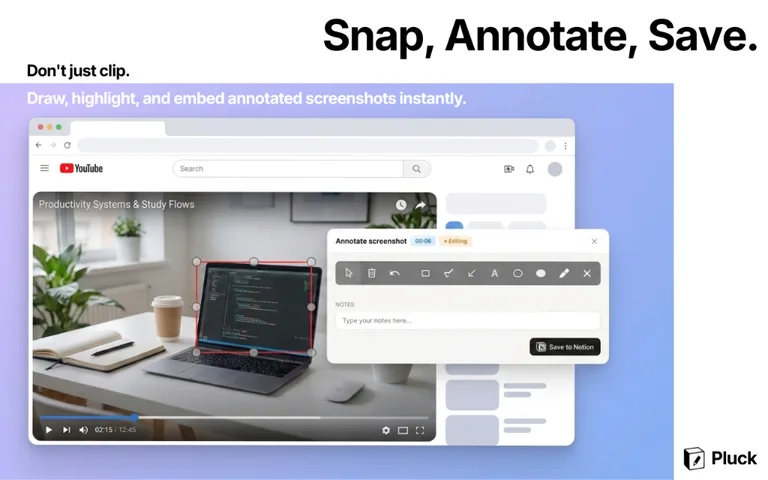
✅ Pluck Alt+S
- Captures the video frame directly — full quality
- No toolbar, overlays, or watermarks
- Saved to Notion automatically
- Built-in editor to draw and annotate